
Download RTMP Camera APK – Stream Your Camera Video, RTMP, Live Streaming, Android, Free, H.264, ACC, Background Streaming
Overview
RTMP Camera is a free Android application developed by MIV Dev Team, designed to enable users to stream live video from their device’s camera using the Real Time Messaging Protocol (RTMP). The app is tailored for individuals and content creators who need a straightforward way to broadcast video content directly from their smartphone or tablet. It supports both front-facing and back-facing cameras, offering flexibility in how users present their streams. The primary purpose of the software is to simplify live video transmission to platforms such as YouTube and Wowza, making it suitable for real-time events, remote presentations, or casual streaming sessions.
Target users include independent streamers, educators conducting remote classes, event organizers, and hobbyists who require a no-frills solution for live video delivery. The application is particularly useful in scenarios where minimal setup time is critical, thanks to its quick capture method that allows streaming to begin in just a few seconds. While the app functions as a background service, enabling continued device usage during broadcasts, it is important to note that it is no longer supported by the developer. The MIV Dev Team has officially recommended transitioning to the newer application, Astra Streaming Studio, available on the Google Play Store.
Key Features & Capabilities
- RTMP Streaming Protocol Support – Enables real-time video transmission using the RTMP protocol, ensuring compatibility with major live streaming platforms like YouTube and Wowza.
- Camera Selection – Allows users to switch between the front-facing and back-facing cameras, providing versatility in content presentation.
- Codec Compatibility – Supports H.264 video encoding and ACC audio encoding, ensuring efficient compression and high-quality output.
- Quick Capture Method – Minimizes setup time, allowing users to start streaming within seconds of launching the app.
- Background Operation – Functions as a persistent service, enabling users to continue using other apps while streaming remains active.
- Adjustable Resolution and Frame Rate – Offers customizable video settings, allowing users to optimize stream quality based on network conditions and device capabilities.
- Multi-Platform Streaming – Supports broadcasting to both YouTube and Wowza live streaming platforms, expanding reach for content creators.
These features make RTMP Camera ideal for users needing immediate access to live video transmission without complex configurations. For example, a teacher preparing a remote lecture can quickly start a stream from their back camera with minimal setup. Similarly, a small business owner can use the front camera to conduct live product demos while navigating other apps. The ability to operate in the background enhances usability during extended streams, though users should be mindful of battery consumption and data usage.
User Interface, Workflow & Performance
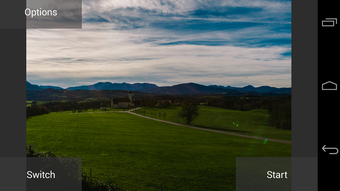
The user interface of RTMP Camera is designed with simplicity in mind, focusing on essential controls for initiating and managing live streams. Navigation is straightforward, with primary functions such as camera selection, stream URL input, and start/stop controls clearly labeled. The workflow is streamlined to reduce the number of steps required to begin broadcasting, aligning with the app’s emphasis on speed and accessibility.
While specific performance metrics were not provided by the developer, general software behavior patterns suggest that the app maintains a stable connection during streaming sessions when network conditions are favorable. The background service functionality implies that the app can sustain operation even when minimized, though actual CPU and RAM usage details were not disclosed. The developer did not specify resource usage details, so users should monitor battery and memory consumption during prolonged use. Stability may vary depending on device hardware and Android version, especially given the app’s outdated status and lack of active updates.
Compatibility & System Requirements
RTMP Camera is designed for Android devices and is available for free on the Google Play Store. The application’s compatibility with specific Android versions or hardware configurations was not specified by the developer. The installation size is not publicly listed, and no minimum system requirements were provided. As a result, users should expect limited information regarding hardware or OS compatibility.
Given that the app is no longer supported and the developer has discontinued maintenance, compatibility with newer Android versions or devices may be inconsistent. Users should be cautious when installing on modern devices, as outdated applications may fail to launch or experience instability. The developer recommends using the updated alternative, Astra Streaming Studio, for improved reliability and future support.
Pros and Cons
Pros
- Free to download and use with no in-app purchases
- Quick start-up and minimal setup time
- Supports both front and back camera streaming
- Background operation allows multitasking during streams
- Compatible with popular platforms like YouTube and Wowza
- Customizable video resolution and frame rate settings
Cons
- Outdated and no longer officially supported by the developer
- Limited system requirements and compatibility information
- Potential stability issues on newer Android devices
- No official updates or security patches since discontinuation
- Recommended replacement available, suggesting it is not ideal for long-term use
FAQ Section
Is RTMP Camera safe to use on my Android device?
The app is available for free on the Google Play Store and was published by MIV Dev Team. However, since it is no longer supported, it may not receive future security updates. Users should exercise caution, especially when entering streaming credentials or using it on sensitive devices.
Can I stream to platforms other than YouTube and Wowza?
Based on the provided information, RTMP Camera supports streaming to YouTube and Wowza live streaming platforms. There is no indication of support for additional platforms, and no further details were provided.
Does RTMP Camera require an internet connection?
Yes, a stable internet connection is required to stream video content using the RTMP protocol. The quality and reliability of the stream depend on network speed and stability.
Is the app compatible with iOS devices?
No, RTMP Camera is designed exclusively for Android devices and is not available for iOS platforms.
How often does RTMP Camera receive updates?
The application is no longer supported by the developer, and no updates have been released since its discontinuation. Users are advised to use the recommended replacement, Astra Streaming Studio, for ongoing functionality and support.
Final Thoughts + CTA
RTMP Camera offers a simple, no-cost solution for Android users seeking to stream live video using RTMP. Its quick capture method, background operation, and support for multiple platforms make it a functional tool for basic streaming needs. However, its outdated status and lack of official support significantly limit its long-term viability. While it may still work for legacy users, the absence of updates and security patches poses risks, especially on modern devices.
For users who prioritize reliability, security, and ongoing support, the recommended alternative—Astra Streaming Studio—is a far superior choice. Nevertheless, RTMP Camera remains a viable option for those who need immediate access to streaming capabilities without additional costs and are aware of its limitations.
Download RTMP Camera now





.png)

